
How to set up tax exemption
Step 1: Log Into Your Account
Log into your account or create one if you do not yet have one.
https://www.irrigationking.com/customer/account/create/
Step 2: Add a Billing and Shipping Address
Once in your account go to the Address Book and add your billing and shipping address. We need this to tie your tax certificate with your account.

Step 3: Adding your Tax Exemption
Now that both your billing and shipping address are set go to Tax Certificates. Once there click on add Exemption. Fill out all the information needed, and you can either upload your tax exemption or use the online portal to fill one out.
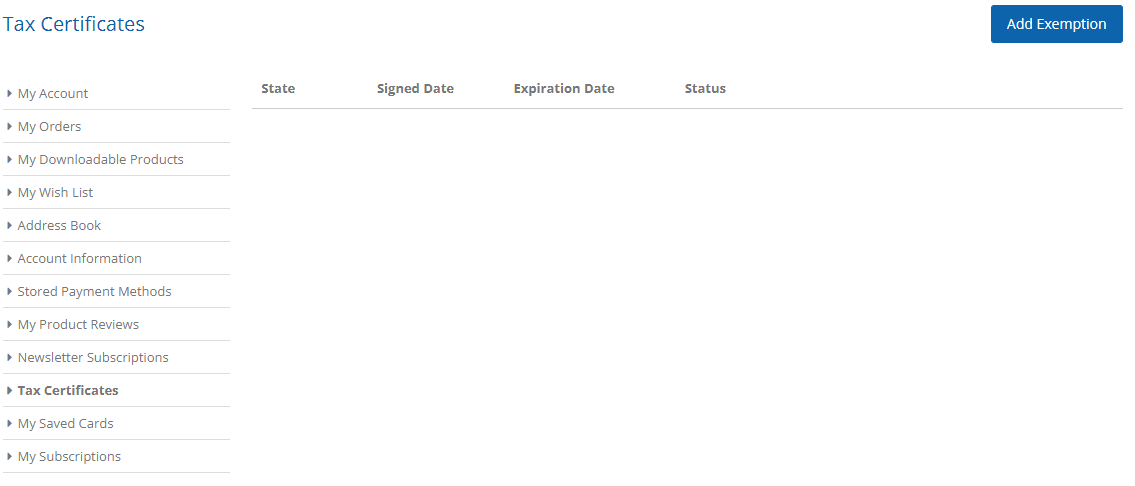
Step 4: Verify Exemption Status
Once everything has been updated and your tax exemption has been uploaded it should allow you to place orders without tax immediatley. If the website is still adding tax please reach out to us. You can contact us via email, phone call, or even live chat. As soon as you reach out, we will start looking at your account to see if any changes need to be made.
Contact Details:
(844) 259 0640 M-F 8-5pm
Oregon Warehouse & Headquarters:
9995 SW Avery Street
Tualatin, Oregon 97062
Texas Warehouse:
702 Enterprise St, Suite #5
Laredo, Texas 78045
Florida Warehouse:
1060 E 23rd St
Hialeah, Florida 33013